
logo

VibeToLive.dev

AI App Audit Checklist: Find Security, Payment, and Launch Risks in 30 Minutes
AI DevelopmentProduction ReadinessSecurity

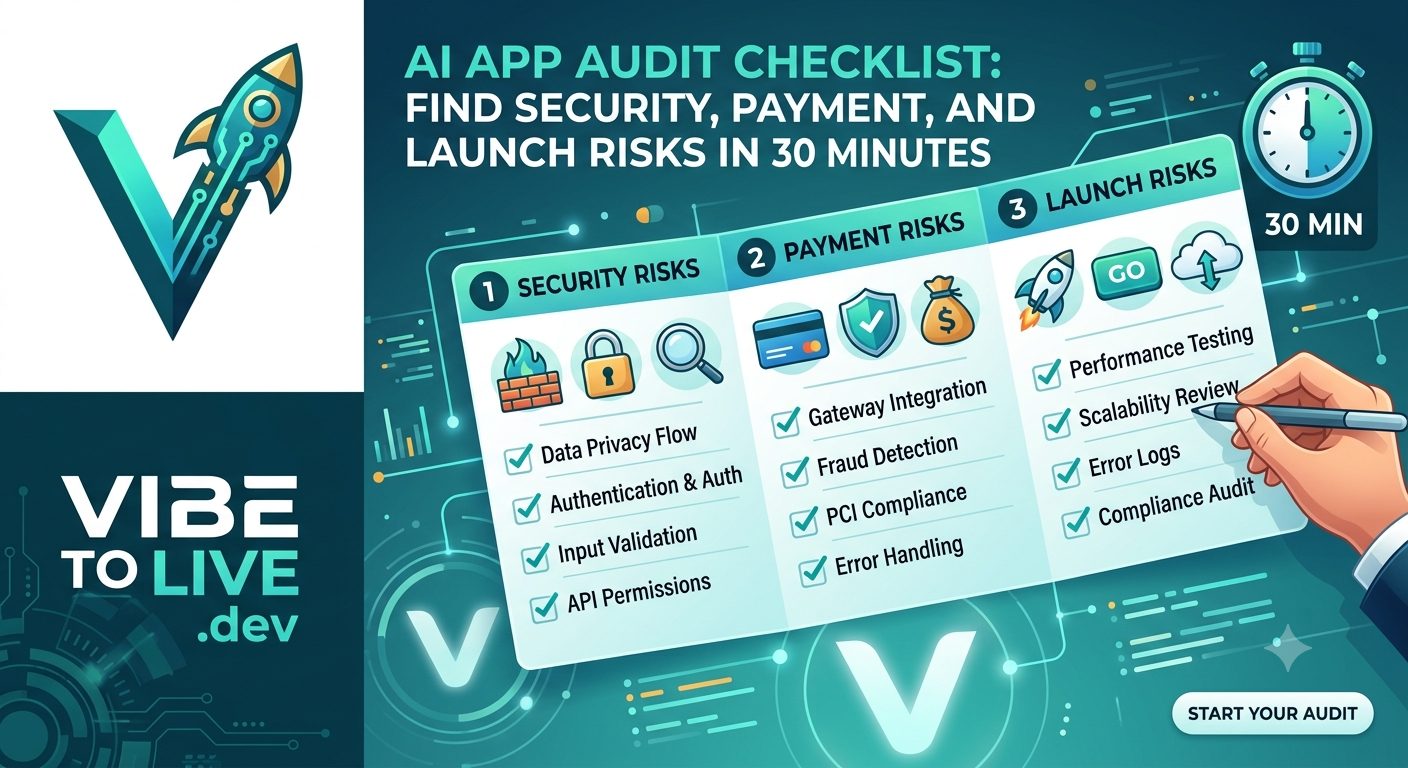
AI App Audit Checklist: Find Security, Payment, and Launch Risks in 30 Minutes

Built an app with AI and unsure if it is ready for real users? Use this 30-minute AI app audit checklist to find security gaps, payment risks, exposed secrets, weak database rules, missing monitoring, and launch blockers before users or customers discover them.

August 06, 2026
AI app auditAI-generated appsecurity checklistpayment checklistlaunch checklistproduction readinessAI-built appvibe coding

Introduction

AI can help you build an app faster than ever.

With tools like Cursor, Lovable, Bolt, v0, Replit, Windsurf, ChatGPT, and Claude, a founder can now create a working SaaS app, dashboard, AI tool, marketplace, internal product, or MVP in days instead of months.

That speed is powerful.

But speed can also hide risk.

Your app may look ready because the UI works.
The login page may exist.
The dashboard may load.
The checkout button may open.
The AI feature may generate output.
The demo may feel impressive.

But production readiness is not only about whether the app works once.

A production app must protect users, handle payments correctly, keep secrets private, limit AI abuse, recover from errors, and stay visible when something breaks.

This 30-minute AI app audit checklist helps you quickly find the most important security, payment, and launch risks before real users discover them.

The goal is not to perform a perfect enterprise audit.

The goal is to identify the highest-risk problems fast, so you know what must be fixed before launch.

Who Should Use This AI App Audit Checklist

This checklist is for founders, vibe coders, indie hackers, small teams, developers, and agencies that used AI to build an app and now need to know whether it is safe enough for real users.

Use this audit if:

You built your app with Cursor, Lovable, Bolt, v0, Replit, Windsurf, ChatGPT, or Claude.
You are preparing to launch an MVP.
You are about to invite beta users.
You are close to accepting your first paying customer.
You already launched but are unsure if the app is secure.
You added payments and want to check billing risk.
You connected AI APIs and want to avoid cost spikes.
You want to know whether the app needs hardening, refactoring, or a deeper review.

This audit is especially useful if your app handles:

User accounts
Private dashboards
Payments or subscriptions
Uploaded files
AI generation
Customer data
Team workspaces
Admin panels
API keys
Business workflows

If the app is only a visual demo, this checklist may be more than you need.

But if real users can sign in, submit data, pay money, upload files, or depend on the app, this audit matters.

Why AI-Built Apps Need a Fast Production Audit

AI-generated apps often become functional before they become safe.

That is the main risk.

AI tools are excellent at creating screens, writing components, adding routes, connecting APIs, and generating working flows. But production readiness requires deeper decisions that AI may not fully understand unless you clearly define them.

For example:

Who should access this data?
Which routes should be private?
Which actions are admin-only?
Which secrets must stay server-side?
What happens when payment fails?
What happens when an AI request is abused?
What happens when a user changes an ID in the URL?
What happens when the database grows?
What happens when the app breaks after deployment?

These are not just coding questions.

They are production risk questions.

A working prototype proves the idea can be built.

A production-ready app proves the product can be trusted.

That is why a short audit before launch can save you from serious problems later.

The 30-Minute Audit Plan

A useful audit needs structure.

Do not randomly click around the app and call it testing.

Use 30 minutes intentionally.

Here is the simple plan:

Minutes 0–5: Test the main user journey.
Minutes 5–10: Check authentication and authorization.
Minutes 10–15: Review payments, secrets, and environment variables.
Minutes 15–20: Check database, file uploads, and AI usage risks.
Minutes 20–25: Review monitoring, performance, and deployment safety.
Minutes 25–30: Score the app and decide what to fix first.

This audit focuses on the risks that usually hurt AI-built apps first:

Private data exposure
Broken paid access
Weak authentication
Missing ownership checks
Exposed API keys
Unsafe file uploads
Unlimited AI usage
No monitoring
Poor error handling
Fragile deployments
Slow dashboards
Unclear launch readiness

If your app fails several checks, do not panic.

It does not always mean you need a full rewrite.

It usually means you need focused production hardening.

Minutes 0–5: Test the Main User Journey

Start with the customer experience.

Before reviewing code, act like a real user.

Can someone go from first visit to product value without your help?

Test the full path:

Visit the homepage.
Understand what the app does.
Click the main call-to-action.
Create an account.
Log in.
Reach the dashboard.
Complete the main product action.
Save, generate, upload, export, or view the expected result.
Log out.
Log back in.
Return to the saved result.

This matters because many AI-built apps have all the pages but not a reliable journey between them.

A signup page may work, but onboarding may be confusing.

A dashboard may load, but empty states may not explain what to do.

An AI feature may generate once, but results may not save.

A checkout may complete, but paid access may not unlock.

What to look for

Does the user know what to do next?
Does the app show helpful empty states?
Does the main action work without manual database changes?
Does the app handle slow loading?
Does the result persist after refresh?
Does the mobile layout still allow completion?
Does the user receive confirmation after important actions?

Audit decision

If the main journey breaks, fix that before polishing secondary features.

A product is not ready for launch if users cannot reach the promised value.

Minutes 5–10: Check Authentication

Authentication answers one basic question:

Who is this user?

Your app should know whether a user is logged in and protect private pages, APIs, dashboards, files, billing pages, and account settings.

AI-built apps often include a login screen quickly, but the backend protection may be incomplete.

A page may be hidden from logged-out users, but the API behind the page may still be public.

That is a serious risk.

Check these items

Signup works correctly.
Login works correctly.
Logout clears the session.
Password reset works if available.
Email verification works if required.
Private pages redirect logged-out users.
Private API routes reject logged-out requests.
Session state works after refresh.
Expired sessions are handled safely.
The app does not flash private data before session loading finishes.

Common issue

The frontend checks if the user exists, but the backend does not verify the session.

That means someone may bypass the UI and directly call the API.

Audit decision

If private API routes work without a valid session, this is a high-priority security gap.

Fix backend authentication before real users arrive.

Minutes 5–10: Check Authorization and Data Ownership

Authentication is not enough.

A logged-in user should not automatically access everything.

Authorization answers:

What is this user allowed to do?

This is one of the most important checks in any AI app audit.

A user should only access their own records, files, dashboard, subscription, workspace, messages, reports, projects, and settings.

Simple ownership test

Create two test users.

Log in as User A and create a record.

Then log in as User B and try to access User A’s record by changing the URL ID or API request.

For example:

/dashboard/projects/123

Change it to another ID:

/dashboard/projects/124

If User B can view, edit, delete, or export User A’s data, the app is not production-ready.

Check these items

Users can only access their own data.
Workspace access checks membership.
Admin routes require admin permission.
Paid features require active paid access.
Canceled users lose premium access.
File downloads check ownership.
API routes do not trust userId from the browser.
Database queries are scoped to the current user or organization.

Audit decision

If users can access data they do not own, stop and fix authorization immediately.

This is one of the most serious launch risks.

Minutes 10–15: Check Payments and Paid Access

If your app accepts payments, this part of the audit is critical.

Payment problems hurt trust quickly.

A customer who pays expects access immediately. They also expect billing to be correct, cancellation to work, and plan limits to behave as promised.

Do not only test whether the checkout page opens.

Test the full payment journey.

Check these items

Checkout opens with the correct plan.
The displayed price is correct.
Test mode and live mode are separated.
Payment success unlocks access.
Payment failure shows a clear message.
Webhook events update subscription status.
Webhook signatures are verified.
Canceled subscriptions remove access.
Plan upgrades and downgrades work correctly.
Billing portal works if available.
Paid feature access is enforced on the backend.
Users cannot fake paid access from the browser.

Common payment mistake

The app unlocks paid access because the browser redirects to a success page.

That is not reliable enough.

A user could manipulate the frontend state, or the payment provider webhook could fail silently.

Better approach

Paid access should be based on trusted payment provider events, usually through verified webhooks.

Audit decision

If paid access depends only on the frontend, fix billing logic before accepting customers.

Minutes 10–15: Check Secrets and Environment Variables

AI-built apps often move fast, and secrets can accidentally end up in the wrong place.

Private API keys should never appear in frontend code, public GitHub repositories, browser bundles, logs, screenshots, or client-side environment variables.

Private secrets to check

Database URL
Stripe secret key
Stripe webhook secret
OpenAI API key
Anthropic API key
Resend or SendGrid API key
JWT secret
OAuth client secret
Admin token
Supabase service role key
Storage credentials
AWS access keys

Check these items

Private secrets are not in frontend files.
Private secrets are not prefixed as public environment variables.
.env files are not committed to GitHub.
Production and development keys are separated.
Live payment keys are not mixed with test keys.
Required production environment variables are documented.
Secrets are not printed in logs.
Secrets are not shown in error messages.
Any exposed key has been rotated.

Common issue

In frameworks like Next.js, public environment variables are intentionally available in the browser. If a private key is placed there, users may be able to see it.

Audit decision

If a private key was exposed, rotate it immediately and move it to a secure server-side environment.

Minutes 15–20: Check Database Access and Data Safety

The database is often where AI-generated apps hide serious production risk.

The UI may look secure, but the database may allow too much access.

The app may work with test data, but slow down or break with real data.

Check these items

Queries are scoped to the current user or workspace.
Users cannot read records they do not own.
Users cannot update records they do not own.
Users cannot delete records they do not own.
Admin-only data is protected.
Team or organization membership is enforced.
Large lists are paginated.
Dashboard queries do not fetch everything.
Common filters have indexes.
Database errors are not shown raw to users.
Production data is separated from test data.
Backups exist or are planned before paid launch.

For Supabase or Firebase apps

Check database security rules carefully.

Do not assume the frontend protects the database.

If the client can query the database directly, rules must enforce ownership and permissions.

Audit decision

If the database allows broad access or the app fetches entire tables for normal pages, fix database rules and queries before launch.

Minutes 15–20: Check File Uploads and Storage

File uploads are easy to add but risky in production.

If users can upload images, PDFs, CSVs, reports, documents, invoices, resumes, or private files, storage rules must be reviewed.

Check these items

File types are restricted.
File sizes are limited.
Private files are stored privately.
Signed URLs are used for private access.
Users cannot access files from other users.
File ownership is stored in the database.
Upload errors are handled clearly.
Large uploads do not block the whole app.
Images are optimized where needed.
Unused files can be cleaned up.

Common issue

The upload works, but every file is publicly accessible.

That may be acceptable for public avatars or product images.

It is not acceptable for private documents, customer reports, invoices, contracts, or user files.

Audit decision

If private files are public by default, secure storage before inviting real users.

Minutes 15–20: Check AI Usage and Cost Risks

AI features need a special audit because they can create cost, speed, and abuse problems.

If your app uses OpenAI, Anthropic, Gemini, Replicate, image generation, transcription, embeddings, document processing, or similar AI services, usage must be controlled.

Check these items

AI endpoints require authentication where needed.
Public AI endpoints are protected from abuse.
Rate limits exist by user, IP, or workspace.
Usage is tracked by user or plan.
Prompt length is limited.
File size is limited before AI processing.
AI outputs are saved when useful.
Failed AI requests show clear errors.
Provider timeouts are handled.
Plan limits are enforced on the backend.
Usage spike alerts exist or are planned.

Common issue

One user can generate unlimited AI outputs.

This may feel fine during testing, but it can become expensive quickly after launch.

Audit decision

If AI usage is unlimited and untracked, add rate limits and usage tracking before scaling.

Minutes 20–25: Check Monitoring and Error Visibility

If you cannot see production problems, you cannot fix them quickly.

Monitoring is one of the most important launch-readiness checks.

A user may hit an error and never report it. They may simply leave.

Check these items

Frontend errors are tracked.
Backend API errors are tracked.
Uptime is monitored.
Payment webhook failures are visible.
AI provider failures are visible.
Database errors are visible.
File upload failures are visible.
Deployment failures are visible.
Alerts go somewhere you actually check.
Logs do not expose secrets.
Raw stack traces are not shown to users.

Minimum monitoring setup

For an early-stage AI app, you should at least have:

Error tracking
Uptime monitoring
Backend logs
Payment webhook visibility
AI usage visibility
Deployment logs

Audit decision

If users are your monitoring system, the app is not ready for serious launch.

Minutes 20–25: Check Performance and Scale Basics

You do not need enterprise-scale performance before launch.

But your app should not collapse when test data becomes real data.

AI-generated apps often slow down because they fetch too much data, make too many API calls, render too much in the browser, or run heavy tasks inside normal requests.

Check these items

Dashboard pages do not fetch all records.
Large tables use pagination.
Search input is debounced.
API responses are not unnecessarily large.
Repeated requests are cached where useful.
Images are optimized.
Large frontend components are not loaded too early.
AI requests do not block the entire page.
File uploads do not freeze the app.
Heavy tasks are moved to background jobs when needed.
The app is tested with realistic data.

Common issue

The app feels fast because the database has only five records.

That does not prove production performance.

Audit decision

If the app only works well with empty data, test it with realistic data before launch.

Minutes 20–25: Check Deployment and Rollback Safety

AI-generated code can change quickly.

That makes deployment safety important.

A small AI-generated change can affect auth, APIs, styling, database logic, payment access, or environment configuration.

Check these items

Code is stored in Git.
You know which branch deploys to production.
The app builds successfully before deployment.
Preview deployments are tested when possible.
Environment variables are documented.
Database migrations are reviewed before production.
Production and test environments are separated.
Deployment logs are reviewed.
Rollback path is known.
Core user flow is tested after deployment.

Common issue

The founder deploys directly after AI changes without reviewing what changed.

That is risky once real users depend on the app.

Audit decision

If you cannot roll back a bad release, fix deployment safety before launch.

Minutes 25–30: Score Your AI App

After the audit, score the app honestly.

Use three levels:

Green: Ready for controlled launch
Yellow: Needs focused fixes before growth
Red: Not ready for real users or payments

Green means

The main user journey works.
Private routes are protected.
Users cannot access other users’ data.
Secrets are safe.
Payments work securely if enabled.
AI usage has limits if AI is used.
Basic monitoring exists.
Deployment is repeatable.
Rollback is possible.

A green score does not mean the app is perfect.

It means the biggest launch risks are under control.

Yellow means

The app works, but some important gaps remain.

Examples:

Monitoring is incomplete.
Some forms lack backend validation.
Performance is untested with realistic data.
AI usage tracking is weak.
Deployment rollback is unclear.
Some error handling needs improvement.

A yellow app may be suitable for limited beta testing, but not aggressive launch or paid scale.

Red means

The app has serious production risks.

Examples:

Private APIs are public.
Users can access other users’ data.
Secrets are exposed.
Payment access can be faked.
Private files are public.
No monitoring exists.
No rollback path exists.

A red app should not onboard real users until core issues are fixed.

The Complete 30-Minute AI App Audit Checklist

Use this checklist during your self-assessment:

The main user journey works from start to finish.
Signup works.
Login works.
Logout works.
Password reset works if available.
Private pages require authentication.
Private API routes check authentication.
Users can only access their own data.
Admin routes verify admin permission.
Paid features are protected on the backend.
Payment webhooks are verified.
Cancellation removes paid access.
Secrets are not exposed in frontend code.
Environment variables are separated by environment.
Forms validate input on the backend.
Database queries are scoped to the current user or workspace.
Large lists use pagination.
Private files are not public by accident.
File uploads have type and size limits.
AI endpoints have rate limits.
AI usage is tracked by user or workspace.
Errors are monitored.
Uptime is monitored.
Payment failures are visible.
AI usage spikes are visible.
Raw errors are not shown to users.
Logs do not expose secrets.
The app works with realistic data.
Deployment process is repeatable.
Rollback path is known.

If many items are unchecked, your app needs production hardening before launch.

What to Fix First After the Audit

After the audit, do not fix everything randomly.

Prioritize by risk.

Start with the problems that can expose data, break payments, create large costs, or damage user trust.

Fix in this order:

First, protect authentication and private API routes.
Second, fix authorization and data ownership.
Third, rotate exposed secrets and clean environment variables.
Fourth, secure payments, webhooks, and paid access.
Fifth, protect private files and file uploads.
Sixth, add AI rate limits and usage tracking.
Seventh, add error tracking and uptime monitoring.
Eighth, fix performance bottlenecks.
Ninth, improve deployment and rollback safety.
Tenth, clean up maintainability issues.

Do not start with UI polish if the backend is unsafe.

Production readiness starts with trust.

Common Risks Found in AI App Audits

Most quick AI app audits reveal similar issues.

Common findings include:

Frontend-only authentication
Missing ownership checks
Public admin APIs
Exposed API keys
Weak payment webhook logic
Paid access controlled only in the browser
No backend input validation
Public private files
Unlimited AI generation
No AI usage tracking
No monitoring
Raw errors shown to users
No rollback process
Large unpaginated queries
Too many API calls on dashboard pages
Test keys used in production
Missing production environment variables

The good news is that many of these issues can be fixed without rewriting the entire app.

You usually need focused hardening, not panic.

Quick Answer for Founders

To audit an AI-built app in 30 minutes, check the main user journey, authentication, authorization, payments, secrets, database access, file uploads, AI usage, monitoring, performance, deployment safety, and rollback readiness.

The most important risks to find are:

Can users access data they should not see?
Can payment access be faked?
Are secrets exposed?
Can AI usage become unlimited or expensive?
Will you know if the app breaks?
Can you recover from a bad deployment?

If the answer to any of these is unclear, the app needs production hardening before serious launch.

How VibeToLive Can Help

If you built your app with AI and want to know whether it is truly ready for launch, VibeToLive can help with a deeper production audit.

We review the areas that matter most before real users or paying customers arrive:

Authentication
Authorization
Database access
Payment logic
Webhook handling
Paid feature access
Secrets management
Environment variables
File uploads
AI usage limits
API route security
Performance bottlenecks
Monitoring gaps
Deployment workflow
Rollback safety
First customer readiness

The goal is to give you a clear answer:

Is the app safe to launch?
What needs to be fixed first?
Can the current code be hardened?
Does a module need to be rebuilt?
Is the app ready for users, payments, and scale?

VibeToLive helps turn AI-generated apps into secure, stable, production-ready software.

Final Thoughts

AI-generated apps make building faster.

But production still requires discipline.

A working demo is not the same as a launch-ready product.

Before inviting users, accepting payments, or scaling traffic, take 30 minutes to audit the highest-risk parts of your app.

Check the user journey.
Protect private routes.
Verify data ownership.
Secure secrets.
Test payments.
Limit AI usage.
Add monitoring.
Review deployment safety.

This short audit can help you avoid expensive mistakes later.

The goal is not perfection.

The goal is clarity.

You should know what is safe, what is risky, and what must be fixed before launch.

A prototype can move fast.

A production app needs trust.