
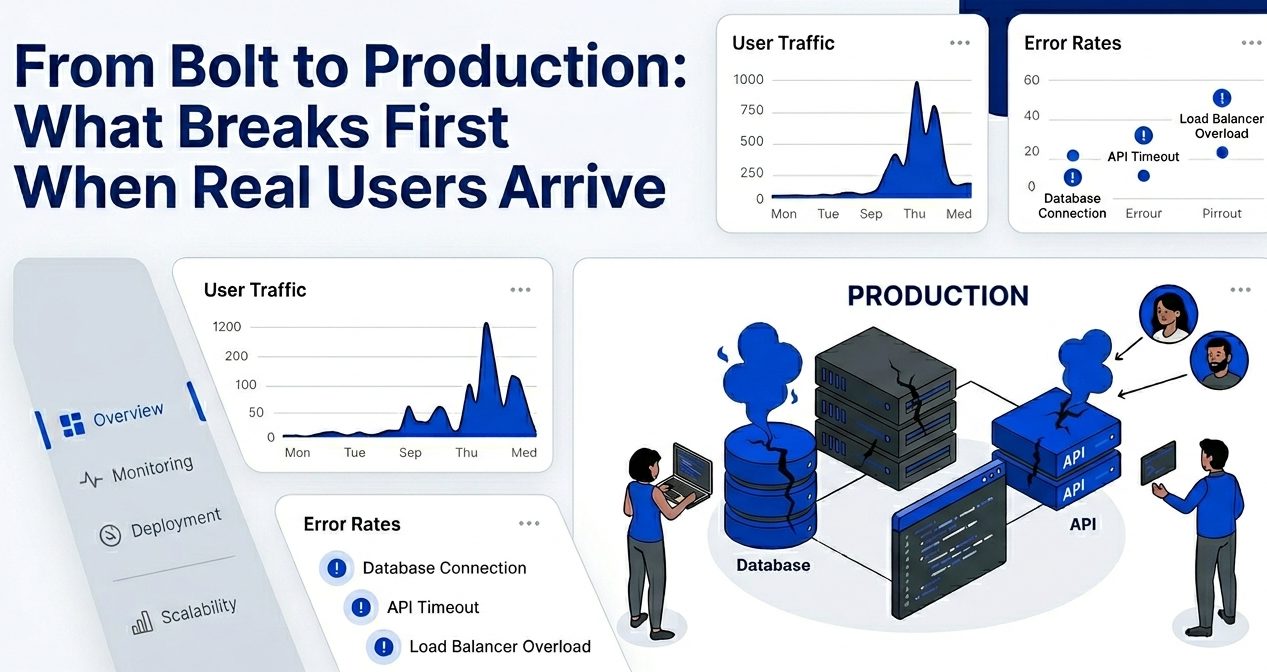
From Bolt to Production: What Breaks First When Real Users Arrive
Bolt makes it easier than ever to turn an idea into a working app.
You can generate pages, build components, connect APIs, create dashboards, and ship a prototype faster than traditional development.
That speed is powerful.
But when real users arrive, the app enters a different world.
A prototype only needs to work for a demo.
A production app needs to work for real people, real devices, real traffic, real data, real payments, and real mistakes.
That is where many Bolt-generated apps start to break.
The problem is not that Bolt is bad. The problem is that AI-generated code often focuses on visible functionality first. It can make the app look complete before the deeper production layers are ready.
This guide explains what usually breaks first when a Bolt-built app goes live and what you should fix before launch.
1. Authentication Looks Done, But Private Routes Are Not Fully Protected
Many Bolt apps include login and signup flows early.
The UI may show a dashboard only after login. The app may redirect logged-out users. The navigation may change based on session state.
That looks good.
But production security cannot depend only on the frontend.
The first thing that often breaks is backend protection.
A user may not see a private page in the UI, but they may still be able to call an API route directly. If the backend does not verify the user session, private data can become exposed.
What usually breaks
Private API routes return data without checking the user.
Dashboard data loads for the wrong user.
Admin pages are hidden in the UI but not protected on the server.
Session checks behave differently after refresh.
Logged-out users can still trigger backend actions.
How to fix it
Every private API route should verify authentication on the server.
Every database request should be connected to the current authenticated user.
Admin routes should require admin permission, not just a logged-in session.
Production rule
If the backend does not protect it, it is not truly protected.
2. Users Can Access Data That Does Not Belong to Them
After authentication, the next common failure is authorization.
Authentication means the app knows who the user is.
Authorization means the app knows what that user is allowed to access.
Bolt-generated apps may correctly check that a user is logged in, but they may not always check whether the user owns the record.
For example, a user may open:
/dashboard/projects/123
Then change the URL to:
/dashboard/projects/124
If the backend query does not check ownership, that user may see someone else’s project.
This is a serious production issue for SaaS apps, marketplaces, dashboards, booking platforms, CRMs, client portals, and admin tools.
What usually breaks
Users can view another user’s records.
Users can edit or delete records they do not own.
Team members can access the wrong workspace.
Admin-only actions are available to regular users.
Files are visible through public URLs.
How to fix it
Scope every database query by user ID, organization ID, or workspace membership.
Do not trust IDs sent from the browser unless the backend verifies permission.
Use strict database policies when using platforms like Supabase.
Production rule
A logged-in user should never automatically mean a fully authorized user.
3. The Database Works With Test Data, Then Slows Down With Real Data
Bolt prototypes often work well with a small amount of data.
A list loads quickly. A dashboard appears instantly. A table feels smooth.
But once real users add more records, performance problems appear.
The app may fetch too much data at once. It may load every record instead of using pagination. It may filter data in the frontend instead of the database. It may run multiple unnecessary requests every time the page loads.
With five test records, nobody notices.
With five thousand records, the app starts to feel broken.
What usually breaks
Dashboard pages become slow.
Tables freeze on large data sets.
Search becomes delayed.
Filters become expensive.
The app fetches all records instead of paginated results.
Database queries become too heavy.
Loading states appear too often.
How to fix it
Use pagination for lists and tables.
Add indexes for commonly filtered fields.
Move filtering and sorting to the database.
Avoid fetching records the user does not need.
Cache data where it makes sense.
Production rule
Do not test only with empty or small data. Test with realistic production-sized data before launch.
4. Forms Accept Bad Data
AI-generated forms often look good but may not validate input strongly enough.
A form may ask for name, email, phone number, budget, date, file, message, or payment details. But if the backend accepts anything, the app becomes fragile.
Real users make mistakes. Bots submit junk. Attackers send unexpected payloads.
That means frontend validation is not enough.
What usually breaks
Required fields are missing.
Invalid emails are saved.
Large text inputs break layouts.
Invalid dates create booking issues.
Unexpected values enter the database.
Forms submit duplicate records.
Bots spam public forms.
How to fix it
Validate inputs on the backend before saving data.
Use clear rules for each field.
Limit text length.
Accept only allowed values for dropdowns and status fields.
Add spam protection for public forms.
Production rule
The backend should reject invalid data even if the frontend form looks perfect.
5. Payments Work in Test Mode, Then Fail in Real Billing Flows
If your Bolt app includes subscriptions, checkout, credits, invoices, or paid plans, payments need extra attention.
Payment flows often look finished because the checkout button works.
But production billing depends on more than redirecting users to Stripe.
The real source of truth should be payment webhooks, not the frontend success page.
What usually breaks
Test keys are still used in production.
Wrong price IDs are connected.
Users pay but premium access does not unlock.
Canceled users still keep access.
Failed payments are not handled.
Webhook signatures are not verified.
Users can fake plan status from the frontend.
How to fix it
Use separate test and live payment keys.
Verify webhook events securely.
Store subscription status in your database based on trusted provider events.
Restrict premium features on the backend.
Test upgrade, downgrade, cancellation, failed payment, and renewal flows.
Production rule
Billing access should never depend only on the browser redirect after checkout.
6. AI Features Become Expensive or Easy to Abuse
Many Bolt-built apps include AI features such as content generation, chat, summarization, document analysis, image generation, recommendations, or automation.
These features feel impressive in a prototype.
But in production, AI endpoints can become expensive very quickly.
Without limits, one user or bot can trigger too many generations, create high API bills, or slow the app for everyone.
What usually breaks
Users can generate unlimited AI outputs.
Bots can hit AI endpoints repeatedly.
No credit or usage tracking exists.
Failed AI requests are not handled clearly.
Long prompts increase cost.
Large files create expensive processing.
The app has no fallback when the AI provider fails.
How to fix it
Add rate limits for AI endpoints.
Track usage by user, workspace, or plan.
Set maximum prompt and file sizes.
Add monthly or daily usage limits.
Handle provider errors with user-friendly messages.
Log expensive requests.
Production rule
Every AI feature needs usage limits before real users arrive.
7. File Uploads Become a Security and Storage Problem
File uploads are easy to add but hard to secure.
If your Bolt app allows users to upload images, PDFs, documents, CSVs, resumes, invoices, or reports, the upload system needs a production review.
A prototype may store files publicly by default. It may not check file type. It may not limit file size. It may not verify who can access the file later.
That becomes dangerous when real users upload private or sensitive files.
What usually breaks
Users upload unsupported file types.
Large files increase storage costs.
Private files become public.
Users can access other users’ files.
File delete behavior is unclear.
Upload errors are not handled well.
Storage fills up faster than expected.
How to fix it
Restrict file types.
Set maximum file sizes.
Use private storage for sensitive files.
Generate signed URLs for controlled access.
Check ownership before download or preview.
Clean up unused files.
Production rule
Do not treat file upload as a simple frontend feature. It needs backend rules and storage security.
8. Error Messages Leak Internal Details
During development, detailed errors are helpful.
In production, they can expose too much.
AI-generated apps may show raw database errors, API failures, stack traces, or provider messages directly in the UI.
That can reveal internal system details and make the product look unprofessional.
What usually breaks
Users see technical error messages.
Database table names appear in the UI.
Stack traces are exposed.
API keys or secret names appear in logs or responses.
Failed actions show no helpful recovery message.
The app crashes instead of showing a fallback state.
How to fix it
Show simple user-facing error messages.
Log technical details privately.
Use consistent API error responses.
Add error boundaries in the frontend.
Handle empty states, failed states, and loading states clearly.
Production rule
Users need helpful messages. Developers need private logs. Do not mix the two.
9. Mobile Layout Breaks Under Real Use
Bolt can generate clean UI quickly, but production users will open your app from many screen sizes.
Desktop demos often hide mobile problems.
A dashboard may look good on a laptop but break on mobile when tables, filters, modals, forms, or menus become too wide.
What usually breaks
Tables overflow on small screens.
Buttons are too close together.
Modals do not fit.
Dropdowns are hard to tap.
Forms become too long.
Navigation is confusing.
Checkout flow is difficult on mobile.
How to fix it
Test every key page on mobile.
Convert large tables into cards where needed.
Use sticky action buttons carefully.
Make forms easier to scan.
Check spacing, tap targets, and modal height.
Production rule
A production app should not only be responsive. It should be usable.
10. Deployment Works Once, But Updates Become Risky
A prototype deployment is usually simple.
But production deployment needs repeatability.
When real users arrive, every update has risk. A small environment variable mistake, migration issue, or build failure can break the live app.
What usually breaks
Production environment variables are missing.
Preview works but production fails.
Database migrations are applied manually.
No rollback plan exists.
Build errors appear during deployment.
Test keys are mixed with live keys.
Domain, SSL, or redirect settings are misconfigured.
How to fix it
Use separate environments for local, preview, and production.
Document required environment variables.
Test builds before production deploys.
Apply database migrations carefully.
Keep a rollback plan.
Monitor deployment logs after every release.
Production rule
Shipping once is not enough. You need a safe process for shipping again and again.
11. No Monitoring Means Problems Stay Invisible
When real users arrive, you need visibility.
Without monitoring, you may not know when users are getting errors, when API calls are failing, when payments are not updating, or when pages are slow.
A Bolt prototype may not include this by default.
What usually breaks
Errors happen silently.
Users leave without reporting bugs.
Slow pages go unnoticed.
Failed payments are missed.
AI API failures are not tracked.
Server logs are hard to search.
There is no alert when something important breaks.
How to fix it
Add error monitoring.
Track important user events.
Log failed API requests.
Monitor payment webhooks.
Track AI usage and costs.
Review performance metrics.
Set alerts for critical failures.
Production rule
If you cannot see the problem, you cannot fix it quickly.
Quick Checklist Before Launching a Bolt App
Before moving a Bolt-generated app into production, review these areas:
Authentication is enforced on the backend.
Users can only access their own data.
Admin routes are protected properly.
Database queries are scoped and optimized.
Forms are validated on the backend.
Payment webhooks are verified.
AI usage has limits.
File uploads are restricted and private when needed.
Error messages do not expose internal details.
Mobile flows are tested.
Environment variables are separated by environment.
Deployment has a rollback plan.
Monitoring and logging are active.
Final Thoughts
Bolt is a powerful way to build fast.
It can help you move from idea to working prototype in a short time. That is a major advantage for founders, startups, creators, and teams testing new product ideas.
But real users change the requirements.
They bring unexpected data, repeated actions, mobile devices, payment edge cases, support questions, and traffic spikes.
That is when hidden problems become visible.
The goal is not to avoid Bolt. The goal is to prepare the Bolt-built app for production properly.
A fast prototype helps you validate the idea.
A production-ready app helps you protect users, reduce risk, and grow with confidence.