
logo

VibeToLive.dev

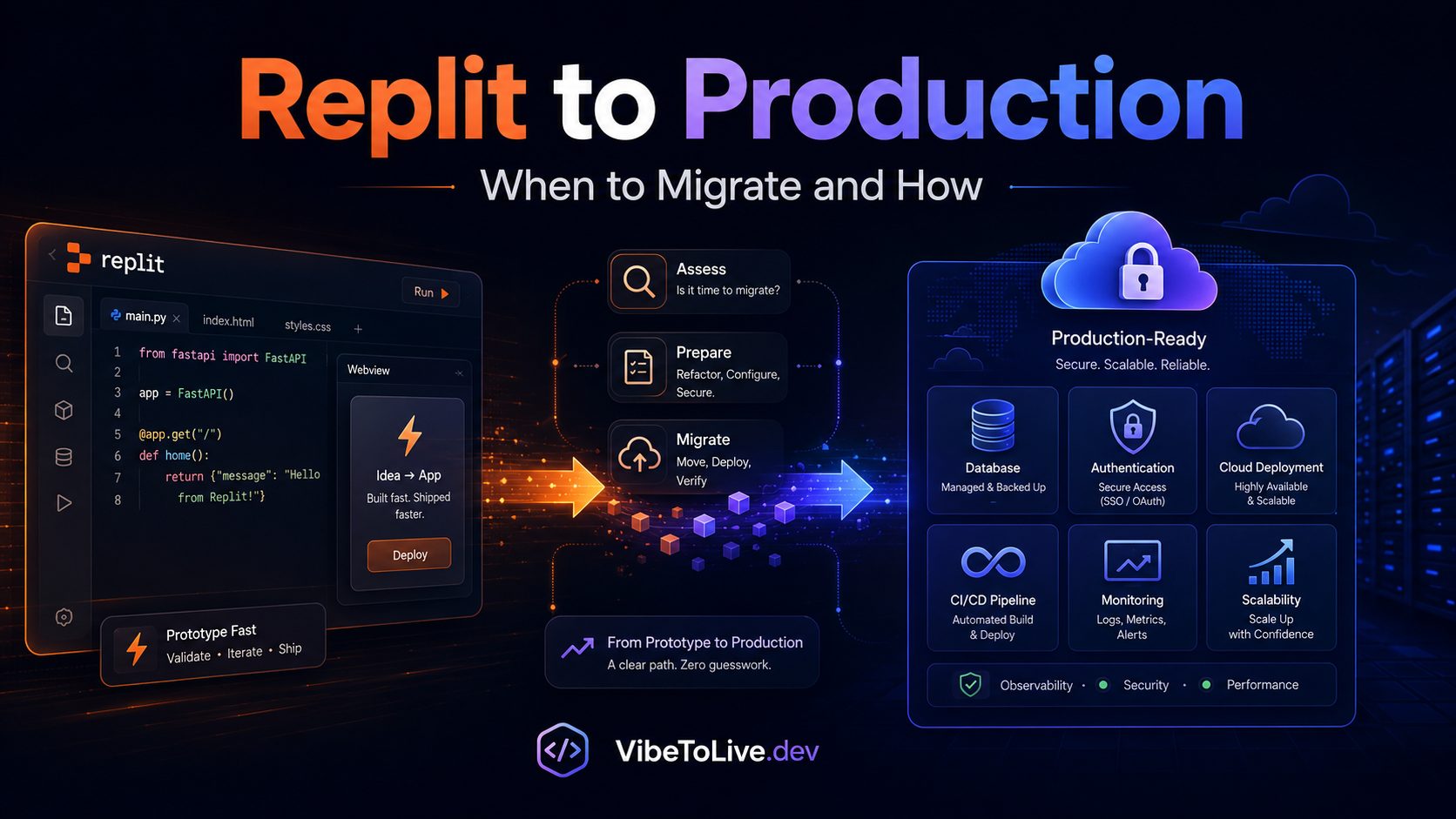
Replit to Production: When to Migrate and How
AI DevelopmentProduction ReadinessDeployment

Replit to Production: When to Migrate and How

Replit is great for building and testing apps fast, but production apps often need stronger hosting, security, scaling, database control, and deployment workflows. Learn when to migrate from Replit and how to do it safely.

June 18, 2026
Replitproduction deploymentAI-built appapp migrationhostingDevOpsproduction readiness

Introduction

Replit is one of the fastest ways to turn an idea into a working app.

You can create a project, write code, use AI assistance, test features, collaborate, and put something online without spending hours setting up your development environment. For solo founders, indie hackers, students, creators, and AI-first builders, that speed is a major advantage.

But there is a point where a Replit app needs to move from “working prototype” to “production-ready product.”

That does not mean Replit is bad. It means your app has reached a different stage.

A prototype needs to prove the idea.
A production app needs to protect users, handle traffic, process payments, store data safely, recover from errors, and keep working when real people depend on it.

This guide explains when to migrate from Replit, what usually breaks first, where to move, and how to complete the migration safely.

Can You Use Replit for Production?

Yes, Replit can be used to host and share working apps, especially for small projects, demos, internal tools, early MVPs, experiments, and prototypes.

But the better question is not:

“Can Replit run my app?”

The better question is:

“Is Replit the right production environment for the stage my app is entering?”

If your app has a few users, no sensitive data, no payments, and no serious uptime expectations, Replit may be enough for now.

But if your app is becoming a business, the requirements change.

Production apps usually need stronger control over:

Authentication
Authorization
Database rules
Environment variables
Secrets
Payments
Webhooks
File storage
Performance
Monitoring
CI/CD
Backups
Rollback plans
Scalability

Replit is excellent for starting fast. But once users, revenue, private data, or business-critical workflows are involved, you should evaluate whether a dedicated production setup is the safer choice.

Why Replit Works So Well in the Beginning

Replit is popular because it removes friction.

You do not need to spend much time configuring a local environment, installing packages manually, setting up deployment from scratch, or managing infrastructure before you have even validated the idea.

This makes Replit especially useful for:

Building an MVP quickly
Creating a proof of concept
Testing an AI-generated app idea
Building an internal dashboard
Creating a client demo
Learning a new framework
Collaborating with another developer
Launching a simple public tool
Validating a SaaS concept before investing heavily

At this stage, speed matters.

You are trying to answer questions like:

Does this idea work?
Can users understand the product?
Can the main feature be built?
Is the workflow valuable?
Is this worth turning into a real product?

For early validation, Replit can be a strong choice.

But once the answer becomes “yes, this is worth building seriously,” your priorities should shift from speed to reliability.

When Should You Migrate From Replit?

You should consider migrating from Replit when your app starts behaving less like an experiment and more like a real product.

Migration becomes important when the cost of downtime, data loss, security issues, slow performance, or broken payments becomes higher than the convenience of staying where you are.

You may not need to migrate the moment you launch your first version. But you should start planning migration when your app begins to show signs of real usage, revenue, or operational risk.

The strongest signs include:

Real users are signing up.
Users are storing important data.
The app processes payments or subscriptions.
You need reliable uptime.
Performance is becoming unpredictable.
You need better deployment control.
You need separate staging and production environments.
You need advanced logging and monitoring.
You need stronger database backup and migration control.
You need to connect custom infrastructure, workers, or storage.

In simple terms:

If users would be affected badly by the app going down, losing data, exposing private information, or breaking during an update, it is time to think seriously about production migration.

What Usually Breaks First When a Replit App Grows

Most apps do not break all at once. They break in layers.

At first, everything may seem fine. The app loads. The UI works. The main feature runs. The demo looks polished.

Then real users arrive.

They create accounts.
They submit unexpected inputs.
They upload files.
They use the app on mobile.
They trigger edge cases.
They refresh pages.
They retry failed actions.
They pay for subscriptions.
They expect their data to be there tomorrow.

That is when prototype weaknesses become visible.

The first things that usually break are:

Authentication flows
Database queries
Environment variables
File uploads
Payment webhooks
API error handling
Performance under real data
Deployment reliability
Secrets management
Monitoring visibility

A Replit app may still be useful at this stage, but the production foundation needs to be reviewed carefully.

Sign 1: Real Users Are Depending on the App

The first serious migration signal is real user dependency.

A prototype can tolerate rough edges. A production app cannot.

If users are signing up, saving data, returning later, inviting teammates, uploading files, or using the app for work, your app is no longer just a test.

At this stage, you need to answer production-level questions:

Can users access the app reliably?
Can users return later and find their saved data?
Can multiple users use the app at the same time?
Can bugs be diagnosed quickly?
Can failed actions be retried safely?
Can you roll back if a deployment breaks something?
Can you separate test changes from live production changes?

If your users now depend on the product, migration planning should begin.

You do not always need to move immediately, but you should stop treating the app like a temporary experiment.

Sign 2: Your App Handles Payments or Subscriptions

Payments are one of the strongest reasons to move toward a more controlled production environment.

If your app uses Stripe, Paddle, Lemon Squeezy, PayPal, or another payment provider, your backend needs to handle billing events reliably and securely.

Payment systems are sensitive because they involve money, access control, customer trust, and legal records.

Common production risks include:

Users pay but premium access does not unlock.
Canceled users still keep paid access.
Failed payments are not handled.
Webhook events fail silently.
Test keys are used in production.
Subscription status is trusted from the frontend.
Payment errors are not logged.
Refund or cancellation states are not reflected in the app.

A payment success page is not enough.

Your app should update subscription access based on trusted webhook events from the payment provider, not only from a browser redirect.

Once money is involved, your app needs a stable backend, secure secrets, correct environment variables, reliable webhook handling, and proper logging.

Sign 3: Your App Stores Private User Data

If your app stores private user data, security becomes a production requirement.

Private data may include:

User profiles
Emails
Documents
Invoices
Messages
Uploaded files
Workspace data
Customer records
Reports
API keys
Billing metadata
AI-generated content
Internal business information

The biggest mistake is assuming that if the UI hides the data, the data is secure.

That is not true.

Production security must happen at the backend and database level.

Every private request should verify the current user. Every database query should be scoped to the correct owner, team, or organization. File storage should use private access unless the file is intentionally public.

If your app handles private user data, migration should focus heavily on:

Authentication
Authorization
Database rules
File access control
Secrets management
Secure logs
Backup strategy
Data recovery

A product that stores private data needs a production foundation that protects that data.

Sign 4: Performance Becomes Unpredictable

Many apps work perfectly with one user and five test records.

Then they slow down when real data appears.

This is common in prototype apps because early code often fetches too much data, filters on the frontend, loads large files inefficiently, or makes repeated API requests that were not noticeable during testing.

Performance issues may look like:

Dashboard pages loading slowly
Tables freezing with many records
Search taking too long
File uploads failing
API requests timing out
AI generation becoming delayed
Mobile pages feeling heavy
Database queries becoming expensive
Users seeing loading states too often

Migration alone will not fix poor architecture, but a stronger production setup makes optimization easier.

You can add better database indexes, caching, background jobs, file storage, monitoring, and deployment controls.

If performance becomes unpredictable, your app needs both infrastructure review and code review.

Sign 5: You Need Better Deployment Control

When you are building alone, it is tempting to push changes quickly.

That works during prototyping.

But once real users arrive, every deployment becomes a business risk.

A small change can break login.
A missing environment variable can break checkout.
A database update can damage existing records.
An AI-generated change can modify files you did not expect.
A styling update can accidentally break a form.

A production deployment workflow should help you ship safely.

You need:

Git-based version control
Preview deployments
Build checks
Type checking
Linting
Environment validation
Database migration review
Rollback options
Production monitoring

If your current setup makes it hard to test before release or recover after a bad deployment, it may be time to migrate.

The goal is not just to deploy. The goal is to deploy safely again and again.

Where Should You Migrate a Replit App?

The best migration target depends on your app type, framework, budget, traffic level, and technical requirements.

There is no single best platform for everyone.

For frontend-heavy or Next.js apps, common choices include:

Vercel
Netlify

For full-stack apps and backend services, common choices include:

Render
Railway
Fly.io
DigitalOcean App Platform

For teams needing deeper infrastructure control, options include:

DigitalOcean Droplets
AWS
Google Cloud
Azure

For databases, common production options include:

Supabase
Neon
Railway PostgreSQL
Render PostgreSQL
DigitalOcean Managed Databases
AWS RDS

For file storage, common options include:

Cloudflare R2
AWS S3
DigitalOcean Spaces
Supabase Storage

For many solo founders and early-stage teams, the best production stack is not the most complex one.

The best stack is usually:

Simple to deploy
Easy to monitor
Affordable to maintain
Secure by default
Compatible with your framework
Reliable enough for your current stage
Flexible enough to grow later

Choose infrastructure based on product needs, not hype.

Best Hosting Options After Replit

Here is a practical way to think about migration options.

If your app is built with Next.js, Vercel is often a strong choice because it is optimized for modern frontend and full-stack Next.js deployment.

If your app has a persistent backend server, Render, Railway, Fly.io, or DigitalOcean may be a better fit.

If your app needs a managed Postgres database, Supabase, Neon, Railway PostgreSQL, Render PostgreSQL, or DigitalOcean Managed Databases are common options.

If your app uses user-uploaded files, use a dedicated storage provider like Cloudflare R2, AWS S3, DigitalOcean Spaces, or Supabase Storage.

If your app needs background jobs, scheduled tasks, queues, or workers, make sure your hosting setup supports those needs before migrating.

Do not choose a platform only because it is popular.

Choose the one that fits how your app actually runs.

Ask these questions before deciding:

Is my app frontend-heavy or backend-heavy?
Does it need a persistent server?
Does it need background jobs?
Does it need file storage?
Does it need WebSockets?
Does it need scheduled tasks?
Does it need database backups?
Does it need preview deployments?
Does it need easy rollback?
Can I afford the monthly cost as usage grows?

The right hosting choice should reduce operational stress, not create new problems.

What to Audit Before Migration

Before migrating, you need to understand what your Replit app currently depends on.

Do not move blindly.

Create a full inventory of the app.

Audit these areas:

Framework and runtime
Frontend routes
Backend routes
API endpoints
Database tables
Authentication system
Authorization logic
Environment variables
Public keys
Private secrets
Payment provider
Webhook endpoints
Email provider
File storage
Cron jobs
Background tasks
External APIs
AI providers
Build command
Start command
Package dependencies
Domain settings

Then mark each item as low risk, medium risk, or high risk.

High-risk areas usually include:

Authentication
Payments
Database migrations
Private files
Admin access
AI API usage
Environment variables
Webhooks
User data exports
Billing access control

A successful migration starts with knowing what you are moving

Step-by-Step Replit to Production Migration Plan

A safe migration should happen in clear steps.

First, move or sync your code into a Git repository such as GitHub.

Then run the app outside Replit to confirm it works in a clean environment. This step is important because some apps accidentally depend on Replit-specific settings.

Next, document every environment variable and separate them into public and private values.

After that, choose your production hosting platform and configure the build command, start command, runtime, and environment variables.

Then connect your production database, authentication provider, storage provider, payment provider, and external APIs.

Before pointing your domain to the new deployment, test the full user journey.

A practical migration flow looks like this:

Move code to GitHub.
Run the app locally.
Fix dependency issues.
Fix build issues.
Document environment variables.
Separate public and private secrets.
Set up production hosting.
Set up the production database.
Set up file storage if needed.
Configure authentication URLs and callbacks.
Configure payment webhooks.
Configure email provider settings.
Run a production build.
Deploy to preview.
Test signup, login, dashboard, payments, uploads, AI features, and admin routes.
Connect the production domain.
Monitor logs after launch.

Migration should not be rushed.

The safest migration is the one where you can test everything before real users touch it.

Common Migration Mistakes to Avoid

Most Replit-to-production migration problems come from small missing details.

Common mistakes include:

Forgetting environment variables
Keeping localhost URLs in production
Using test API keys in live environments
Mixing production and development databases
Not updating OAuth callback URLs
Not configuring payment webhooks
Not verifying webhook signatures
Leaving private files publicly accessible
Not checking database permissions
Not testing admin access
Not setting up monitoring
Not having a rollback plan
Not checking mobile layouts after deployment
Not reviewing AI-generated code changes before launch

Another major mistake is migrating too much at once.

A better approach is to move carefully, confirm the app works, then improve security, performance, deployment, monitoring, and architecture step by step.

Migration should reduce risk, not create more uncertainty.

Post-Migration Production Checklist

After migration, test your app like a real user.

Do not only check whether the homepage loads.

Use this checklist:

Signup works.
Login works.
Logout works.
Password reset works.
Private routes are protected.
Users can only access their own data.
Admin routes are protected.
Database reads work.
Database writes work.
File uploads work.
Private file permissions work.
Payment checkout works.
Payment webhooks update the database.
Canceled subscriptions remove access.
Emails send correctly.
AI features work with usage limits.
Rate limits are active.
Environment variables are correct.
Errors are logged privately.
Raw errors are not shown to users.
Analytics are installed.
Monitoring is active.
Mobile layout works.
Production domain works.
SSL works.
Rollback process is known.

Do not consider migration complete until the main user journey works from start to finish.

Replit to Production: Quick Answer for Founders

You should migrate from Replit when your app has real users, stores private data, processes payments, needs stronger uptime, requires better deployment control, or starts experiencing performance and scaling issues.

The safest way to migrate is to move the code into GitHub, run it outside Replit, document environment variables, choose a production hosting platform, configure database and storage, test authentication and payments, connect your domain, and monitor the app after launch.

For simple prototypes, staying on Replit may be fine.

For serious products, SaaS apps, AI tools, marketplaces, dashboards, and paid platforms, a dedicated production setup is usually the safer long-term choice.

How VibeToLive Can Help

If you built your app in Replit and it is starting to gain real users, VibeToLive can help turn it into a production-ready product.

We review the app’s architecture, authentication, authorization, database logic, API routes, environment variables, secrets, payments, file storage, deployment workflow, performance, and monitoring setup.

The goal is not only to move the app from one platform to another.

The goal is to make sure the app is secure, stable, scalable, and ready for real users.

VibeToLive can help with:

Replit app migration
Production hosting setup
Database migration
Authentication review
Payment and webhook setup
Environment variable cleanup
File storage setup
Security hardening
Performance optimization
CI/CD setup
Monitoring and logging
Launch readiness review

Whether your Replit app is an MVP, SaaS product, AI tool, marketplace, internal dashboard, client portal, or automation platform, a production migration review can help you avoid common launch problems before they become expensive.

Final Thoughts

Replit is a great place to start.

It helps you build quickly, test ideas, collaborate, and get a working app online without heavy setup.

But production is a different stage.

When real users, payments, private data, uptime expectations, and long-term growth become important, your app needs a stronger foundation.

Migration does not need to be complicated, but it should be planned.

Understand what your app uses. Protect your secrets. Test your database. Configure your webhooks. Review your authentication. Set up monitoring. Have a rollback plan.

A fast prototype helps you validate an idea.

A production-ready app helps you build a real business.